What a CRT filter does to an Android screen
A neon street at night makes it easy to see what a CRT filter changes. Look closely at the coloured reflections on the wet pavement. The Shadow Mask effect breaks those colours into a repeating phosphor pattern.
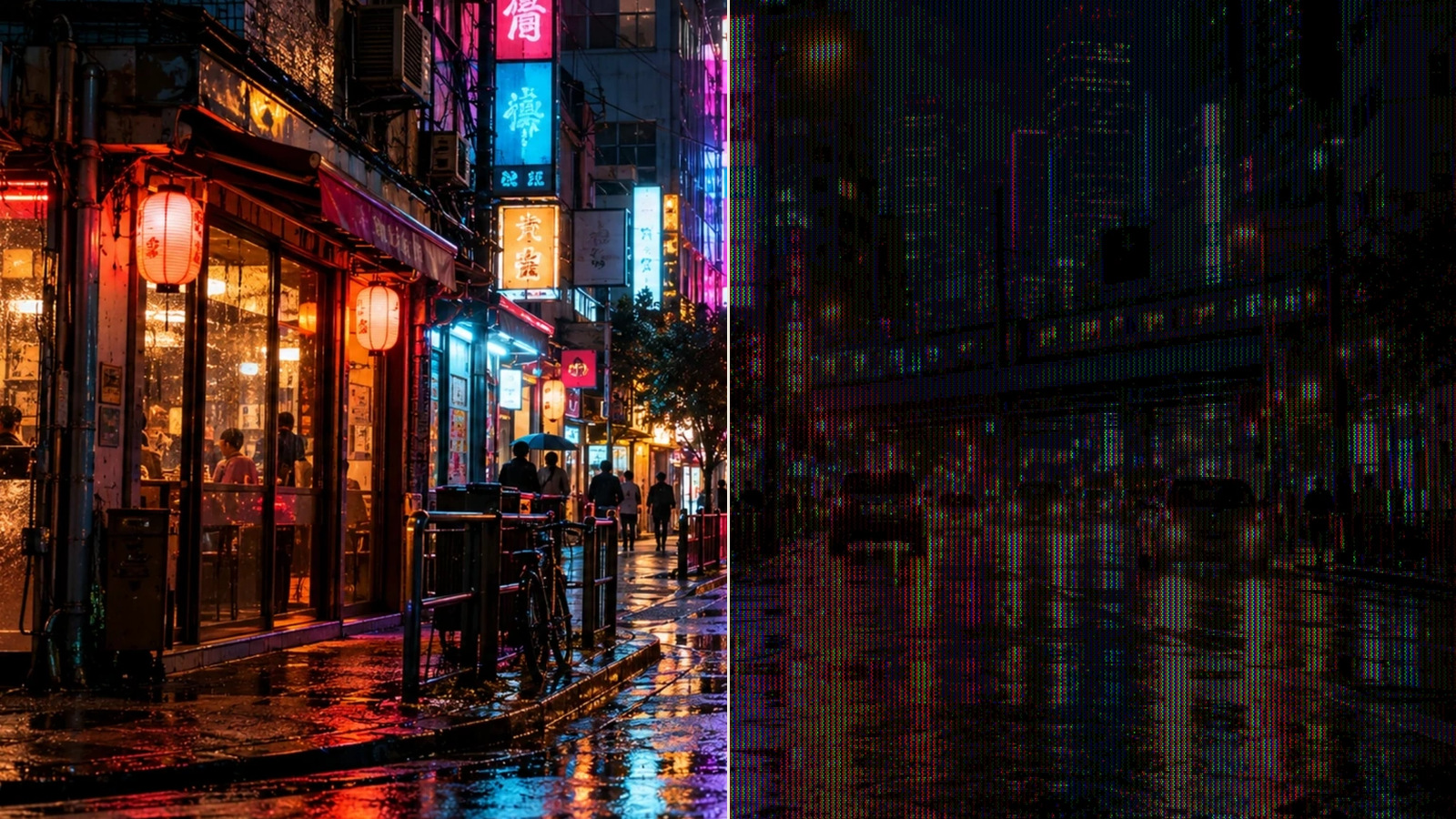
Look at the light, then look at the pattern
In the original, the neon reflections blend into the pavement. A shadow mask gives the same scene a dotted texture. Aperture Grille gives it a different look, with vertical red, green and blue stripes.
Find a setting that works for your screen
In 8-Bit Filter, open Live Filter Preview, select CRT Effect and compare the masks on the same image. Start with a small mask if you want text to stay clear. Try a larger mask for a more visible phosphor pattern. Use the preview’s magnifier to see the detail, then check the image at normal size before saving. Some masks and controls require Pro.
See the CRT section of the user guide or get 8-Bit Filter on Google Play.